BitBloom
v1.0.0Bring color to your HUD with flowers, cupcakes and two themes for your adventures: pink and orange.
About this addon
BitBloom personalizes the HUD and inventory appearance in Minecraft Bedrock with matching health, hunger and armor icons, experience, hotbar, backgrounds, tabs, headers and buttons. Choose the pink theme, orange theme or classic appearance in the pack settings before entering your world.
Inside Minecraft
Select a screenshot to view it larger.
Features in detail
Two themes and a classic option.
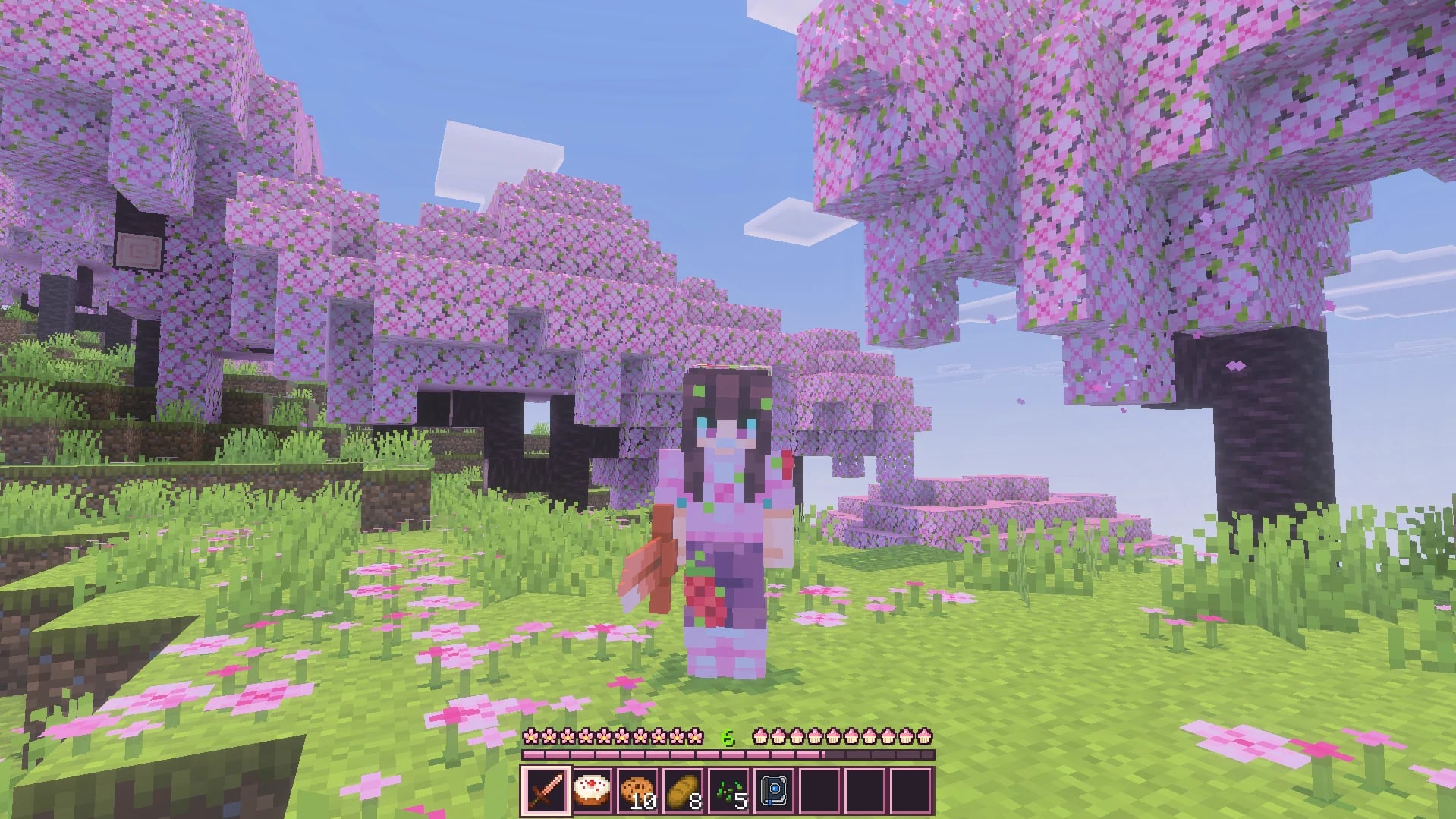
Personalize health, hunger, armor, experience and the hotbar with Pink or Orange, or keep the original look with Classic. Choose a complete theme from the pack settings gear before entering your world; there are no controls to mix parts from different themes.
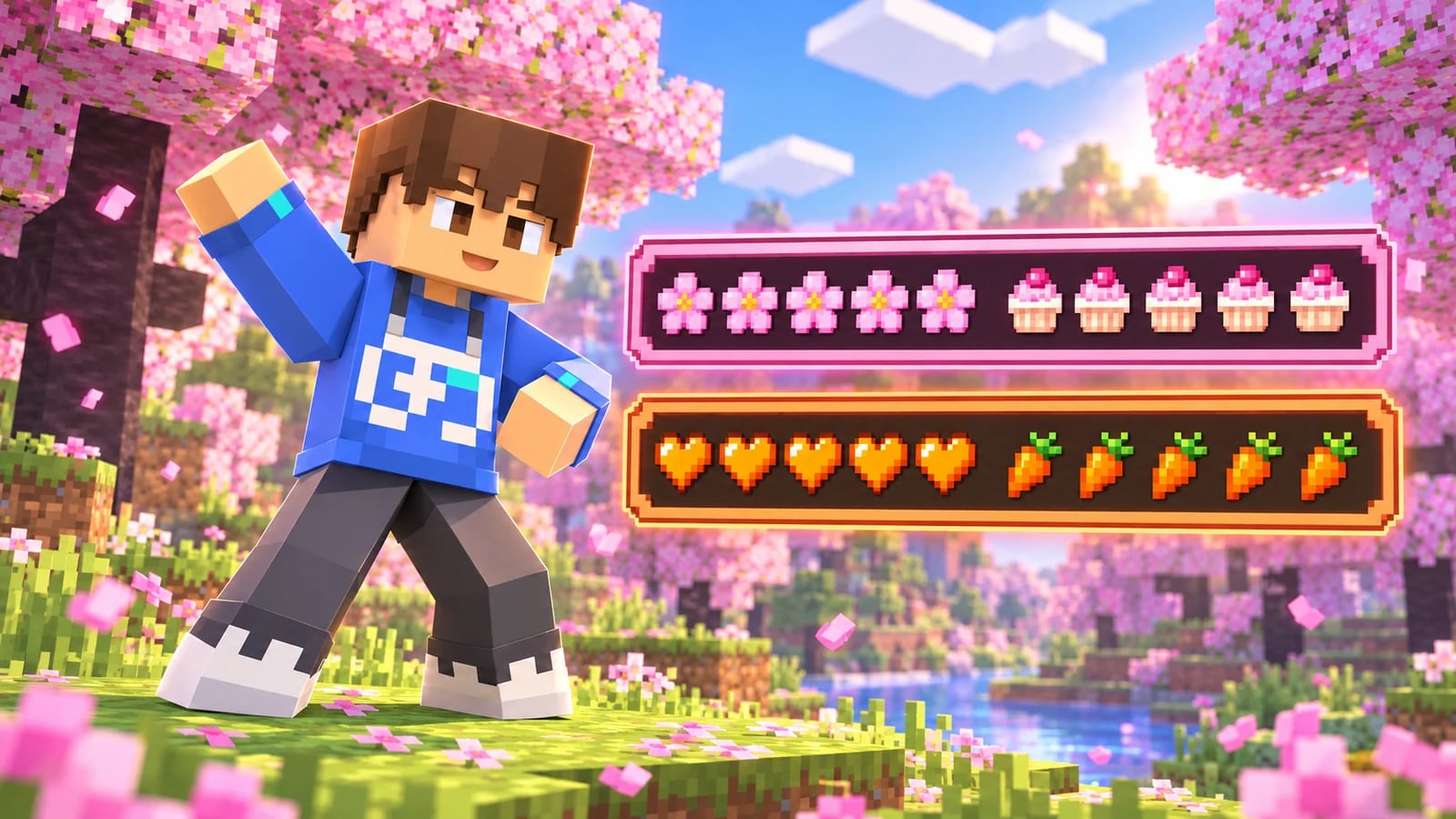
Pink theme
A soft palette that turns HUD indicators into flowers, sweet treats and little shields.
- Health
- Pink flowers replace hearts.
- Hunger
- Cupcakes represent the hunger bar.
- Armor
- Pink shields with a bow indicate armor points.
- Experience
- Pink experience bar and marker.
- Hotbar
- Nine pearly slots, stepped edges and a matching selection frame.
- Inventories
- Matching light pink backgrounds, tabs, headers and buttons for inventories, containers and dialogs that share these textures.
Orange theme
A rustic look pairing orange indicators with wood, copper and cream backgrounds.
- Health
- Orange hearts with variants for different health states.
- Hunger
- Large, straight carrots make the hunger bar easy to recognize.
- Armor
- Farmer chestplates represent armor points.
- Experience
- Orange experience bar and marker.
- Hotbar
- Wood-grain slots, clipped corners and a copper selection frame.
- Inventories
- Matching cream backgrounds, warm borders, tabs, headers and buttons for shared panels.
Classic · The original look
Classic adds no theme replacements. It lets you return to the vanilla look without uninstalling BitBloom. Other active texture packs can also affect the result.
Pink is configured as the initial option for a new activation; Minecraft may retain a theme you selected earlier. Check the settings gear before entering your world.
Matching hotbar and backgrounds, too.
The hotbar keeps its nine slots with a distinct selection frame. Inventory backgrounds, tabs, headers and buttons match the pink or orange theme. Some dialogs share these textures and may also change color.
Minecraft’s layout is preserved: slots, text and inventory functions stay in place. The close X may keep its original grey appearance when the pack is activated only in world resource packs; that improvement is still pending.
HUD states get matching variants.
Each theme includes 92 textures: 69 for the HUD and its panels, plus 23 for tabs, headers and buttons. Alongside full icons, it provides half units, backgrounds, flashes and variants for changing gameplay states.
- Health: full and half units, absorption, poison, Wither, freezing and Hardcore.
- Hunger: full icons, half icons, backgrounds and effect variants.
- Armor: full, half and empty protection indicators.
- Experience and selection: bar, marker, nine slots, end caps and selection frame.
What BitBloom customizes
BitBloom changes the appearance of these interface elements. It does not modify blocks, creatures, world items or equipped armor. Camera behavior, fonts, chat, the main menu and loading screens are unchanged.
It needs no behavior pack or other addon. NextHub controls HUD visibility and NextCam controls the camera: they are independent projects. Scenery, characters and lighting in screenshots demonstrate the pack but are not included in it.
Download activity
- Main packages
- 569
- Optional files
- 0
- Last 30 days · here
- 569
Links requested from this website, not completed downloads or unique players. Visits to CurseForge are counted separately.
BEFORE DOWNLOADING
Installation and releases.
Check the installation instructions and requirements before adding the pack to your world.
DownloadInstallation
- Download and open BitBloom-1.0.0.mcaddon with Minecraft Bedrock to import the resource pack.
- Activate BitBloom in your world’s resource packs. No behavior pack is required.
- Before entering, open the pack settings gear and choose Pink, Orange or Classic.
- Enter your world. If you updated an existing installation, fully restart Minecraft to reload textures. Avoid activating two BitBloom versions at once.
Compatibility
Declared minimum version: Minecraft Bedrock 1.26.40.
Tested locally in Minecraft Bedrock for Windows. Compatibility with other devices, interface scales and use alongside NextHub and NextCam is still to be confirmed.
BitBloom is an independent resource pack. Other packs that replace the same textures may affect its appearance.
If you use a NextHub version before 1.2.0 that includes themes, choose Classic there and give BitBloom higher priority. The current versions still need complete compatibility testing.
Releases and files
1.0.0 · Stable
First BitBloom release: Pink, Orange and Classic themes for the HUD and inventory appearance. Includes 92 textures per theme, with matching health, hunger, armor, experience, hotbar, backgrounds, tabs, headers and buttons. Square V20B icon and pack description including CoderPlay Studios.
Declared minimum version: 1.26.40
10/20/2026Known issues: The close X may keep Minecraft's grey appearance when the pack is activated only in world resource packs. This improvement is deferred and is not considered fixed. Device compatibility, interface scales and use alongside other packs require testing.